
Ενημέρωση υλικολογισμικού Brain#
This tutorial walks you through updating your Brain’s firmware for VEXcode IQ (1st gen). By the end, you’ll have your Brain’s firmware up to date.
The IQ (1st gen) Brain’s firmware, called VEXos, is updated with a separate application called the VEXos Utility, not in VEXcode itself.
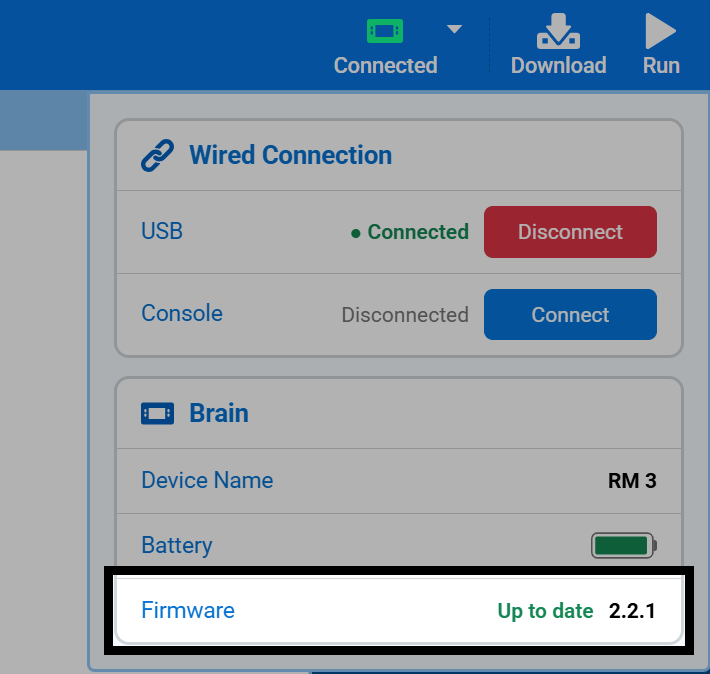
Connect your Brain to VEXcode, then select Connected in the top-right of VEXcode. The Firmware row in the Brain section shows whether the Brain’s firmware is up to date, along with its version number.
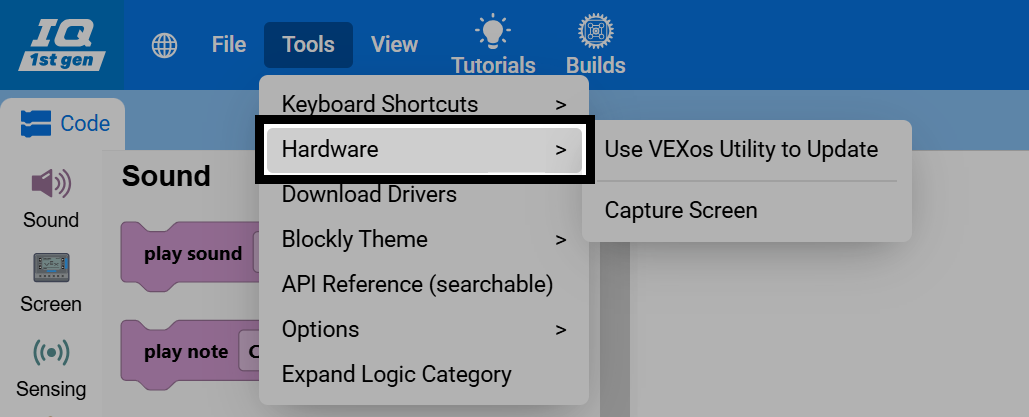
If the firmware needs to be updated, select Tools in the top-left of VEXcode, then select Hardware.
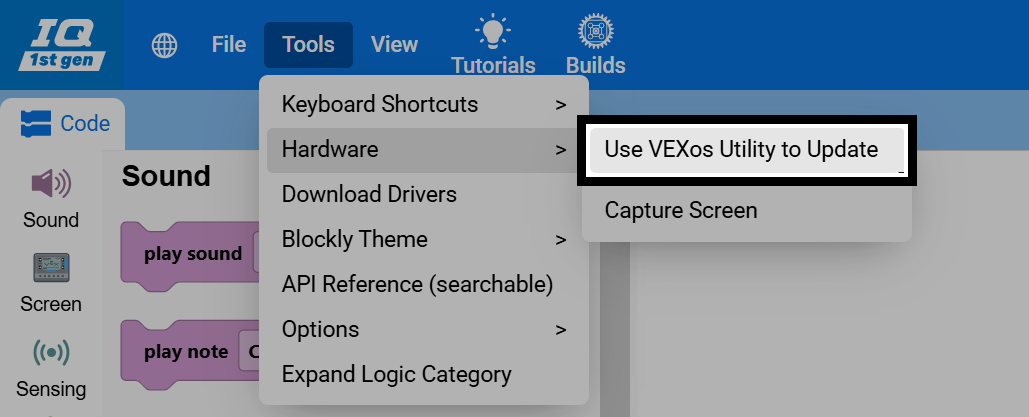
Select Use VEXos Utility to Update. This opens a VEX Library article with links to download and install the VEXos Utility on Windows or macOS.
Close VEXcode before opening the VEXos Utility. VEXcode and the VEXos Utility can’t be open at the same time.
Connect the Brain to your computer with a USB cable, turn the Brain on, and make sure all of its Smart Motors, sensors, and tethered Controller are connected to it.
Open the VEXos Utility. Any devices that need to be updated are highlighted in yellow. Select Install, and don’t disconnect any cables or close the utility until the update is complete. The Brain may restart during the update.
When the update is complete, the VEXos Utility will play a cheering sound and show the message All connected VEX products are up to date. You can now reconnect the Brain to VEXcode and download projects to it.
For more details, see Updating VEX IQ (1st gen) Firmware with VEXos Utility in the VEX Library.