
如果则阻塞#
If Then Blocks
This tutorial covers how to use if/else blocks to make your robot check a condition and decide which blocks to run. By the end, you’ll know how to set up a condition and control what happens when it’s true or false.
将布尔块拖入 if then 分支的空条件槽中。
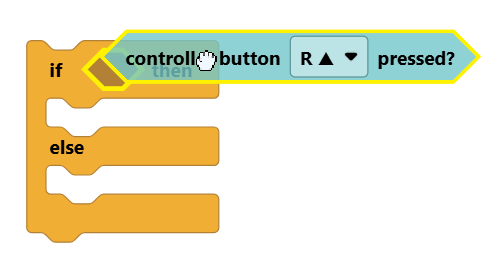
All Boolean blocks are hexagon-shaped and have a question mark in its name, such as the controller button pressed? block.
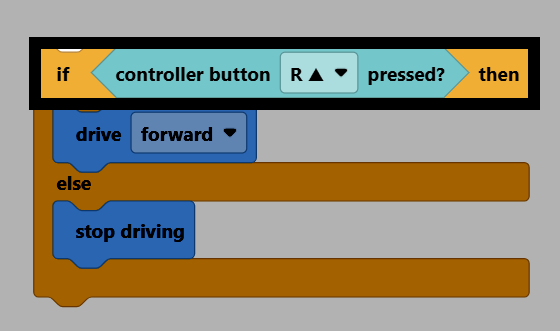
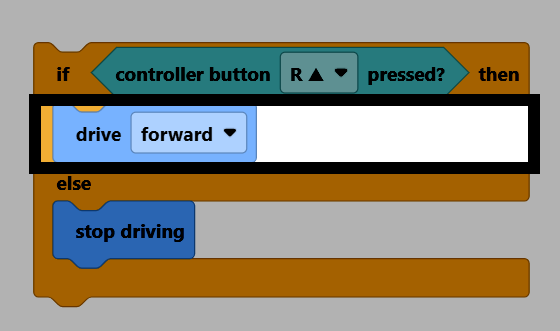
如果条件为真,则执行if then分支内的代码块。
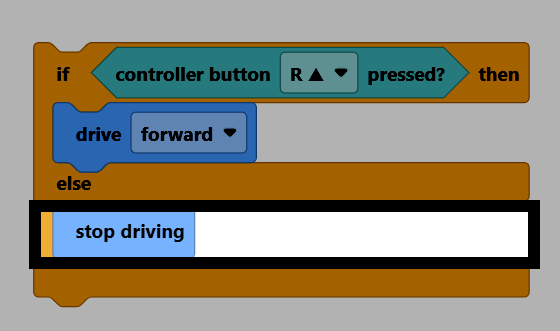
如果条件为假,则执行else分支内的代码块。
if/else 代码块只会检查条件一次。如果要重复检查条件,请将 if/else 代码块放在循环代码块中,例如 forever。
嵌套在 forever 代码块中的 if/else 代码块。#
永久循环
如果 <Controller [R ▲ v] 按下了?> 那么
驱动 [向前 v]
否则
驱动停止
结束
结束
if 代码块仅包含 if then 分支。如果条件不成立,则什么也不会发生。
if 代码块。#
如果 <Controller [R ▲ v] 按下了?> 那么
驱动 [向前 v]
结束
if/else if/else 语句块可以用来依次测试多个条件。它可以扩展以测试任意数量的条件。
一个 if/else if/else 语句块,测试大脑中的所有三个按钮。#
if <Brain [◀ v] button pressed?> then
[左 v] 转 (90) 度 ▶
else if <Brain [▶ v] button pressed?> then
[右 v] 转 (90) 度 ▶
else if <Brain [Check v] button pressed?> then
驱动停止
否则
驱动 [向前 v]
结束