
打开爪子#
Opening the Claw
This tutorial covers how to open the claw on your VEX IQ Clawbot in VEXcode IQ (2nd gen). By the end, you’ll have a project that opens the claw.
要在 VEX IQ Clawbot 上使用机械爪,首先需要在 VEXcode 中配置 Clawbot。最简单的方法是打开一个 Clawbot 模板。
Go to the Devices tab, then select Select a build. If the Devices tab is not visible, see Navigating VEXcode.
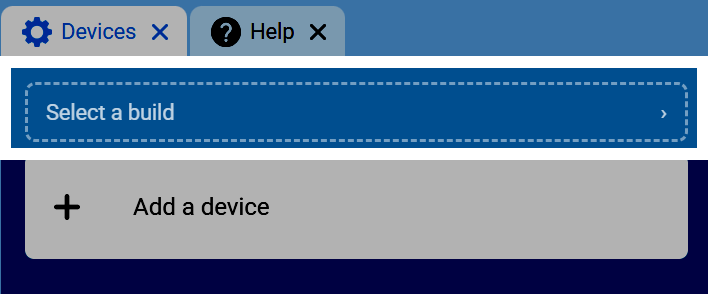
向下滚动并选择Clawbot版本。
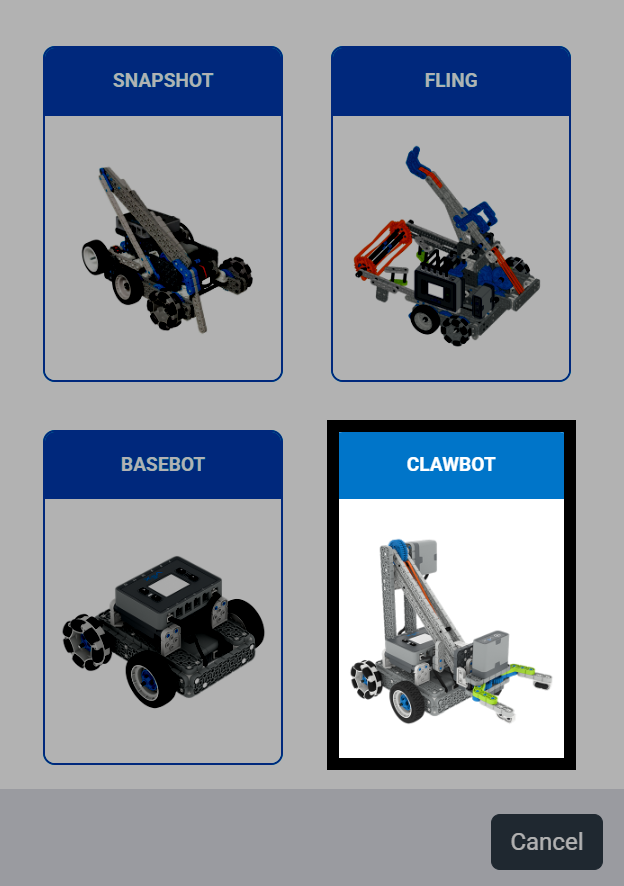
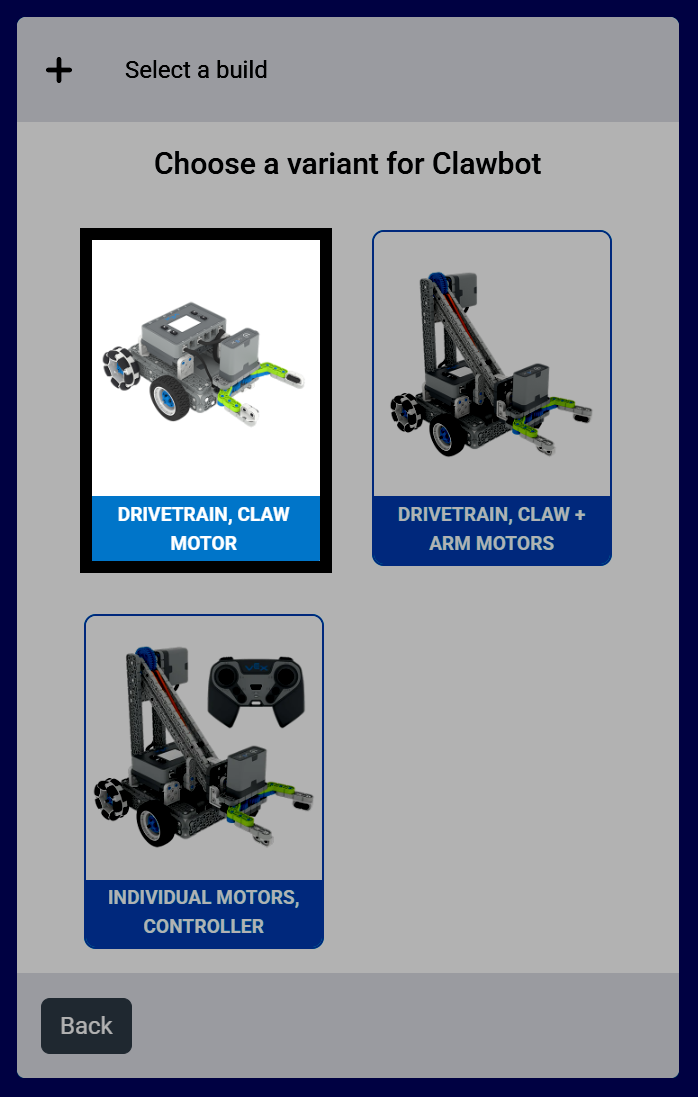
本教程中使用的模型是 Clawbot 的 驱动系统,爪电机 版本。
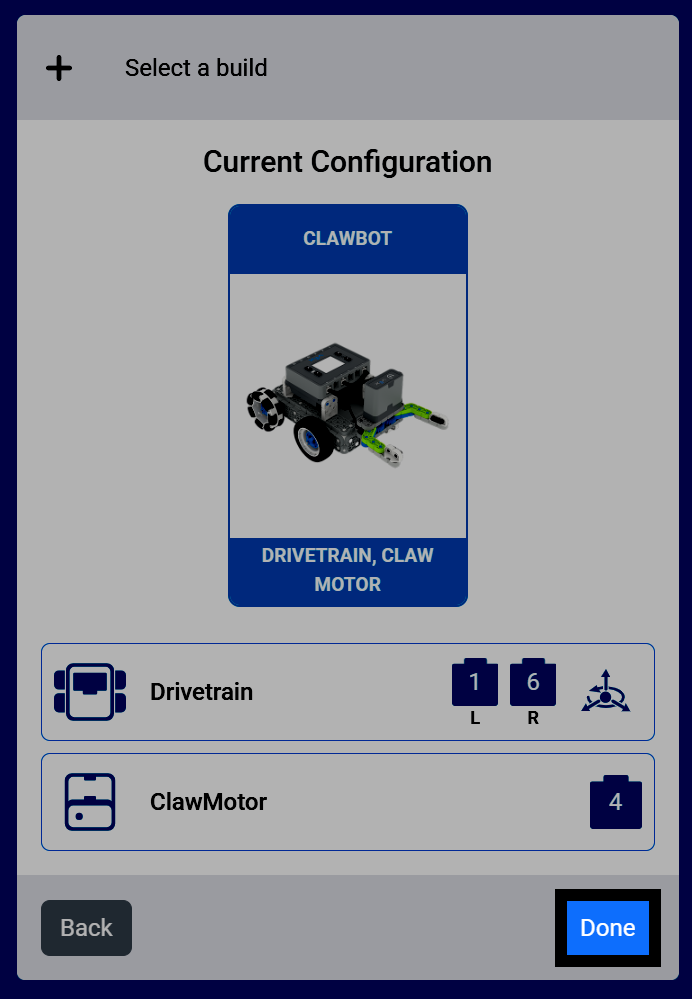
选择完成将此版本添加到您的项目中。
在工具箱中选择“运动”类别,找到运动模块,包括 ClawMotor 的“旋转”模块。
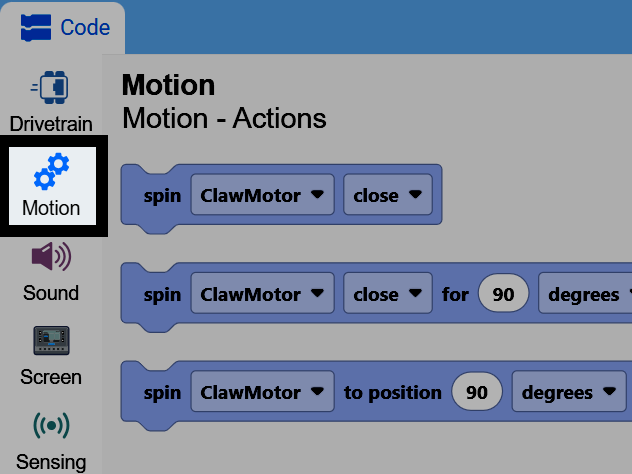
将 旋转电机模块 连接到 启动时 模块。
用于积木的旋转电机,带动 ClawMotor 旋转。#
spin [ClawMotor v] [close v] for (90) [degrees v] ▶
将方向参数从 关闭 改为 打开,并将距离参数改为 60。这将使机器人的爪子从当前位置向外打开 60 度。
启动时,爪子从当前位置打开 60 度。#
当开始
spin [ClawMotor v] [open v] for (60) [degrees v] ▶
您还可以将单位参数更改为“圈数”而不是“度数”。一圈等于 360 度。
用于积木的旋转电机,使用圈数而不是角度。#
spin [ClawMotor v] [open v] for (1) [turns v] ▶
一个技巧是,在使用 spin motor for 模块之前,先使用 set motor timeout 模块。
设置电机超时模块。#
set [ClawMotor v] timeout to (1) seconds
如果您不小心将 旋转电机时间 模块的距离设置得太大,设置电机超时 模块将强制其结束,项目继续进行,即使电机尚未到达其想要的位置。
启动时,在打开爪子之前设置 1 秒超时,因此即使爪子没有到达目标位置,项目也会继续进行。#
当开始
set [ClawMotor v] timeout to (1) seconds
spin [ClawMotor v] [open v] for (600) [degrees v] ▶